How can I access the audios in the exercise book?
When you add a book to your contents on the platform, the resources for both the student book and the exercise book are included.
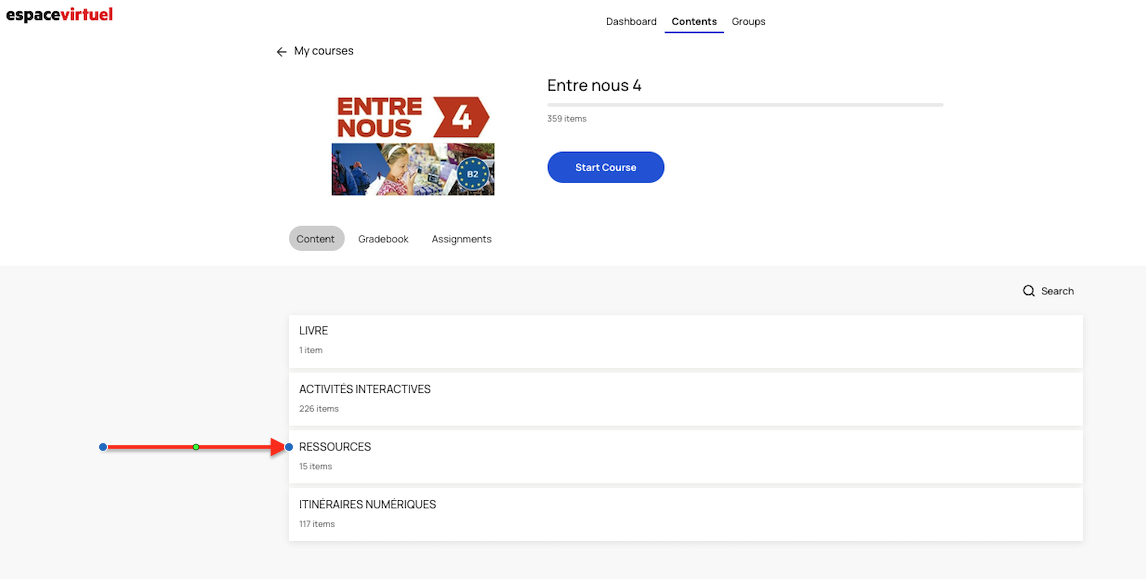
Click on the RESSOURCES section:
To play the exercise book audio files, open the window with the audio files for the corresponding unit and click on the "Continue" button or scroll down until you find a link that says "Voir les pistes du Cahier d'activités". You will go from the student book files to those of the exercise book.
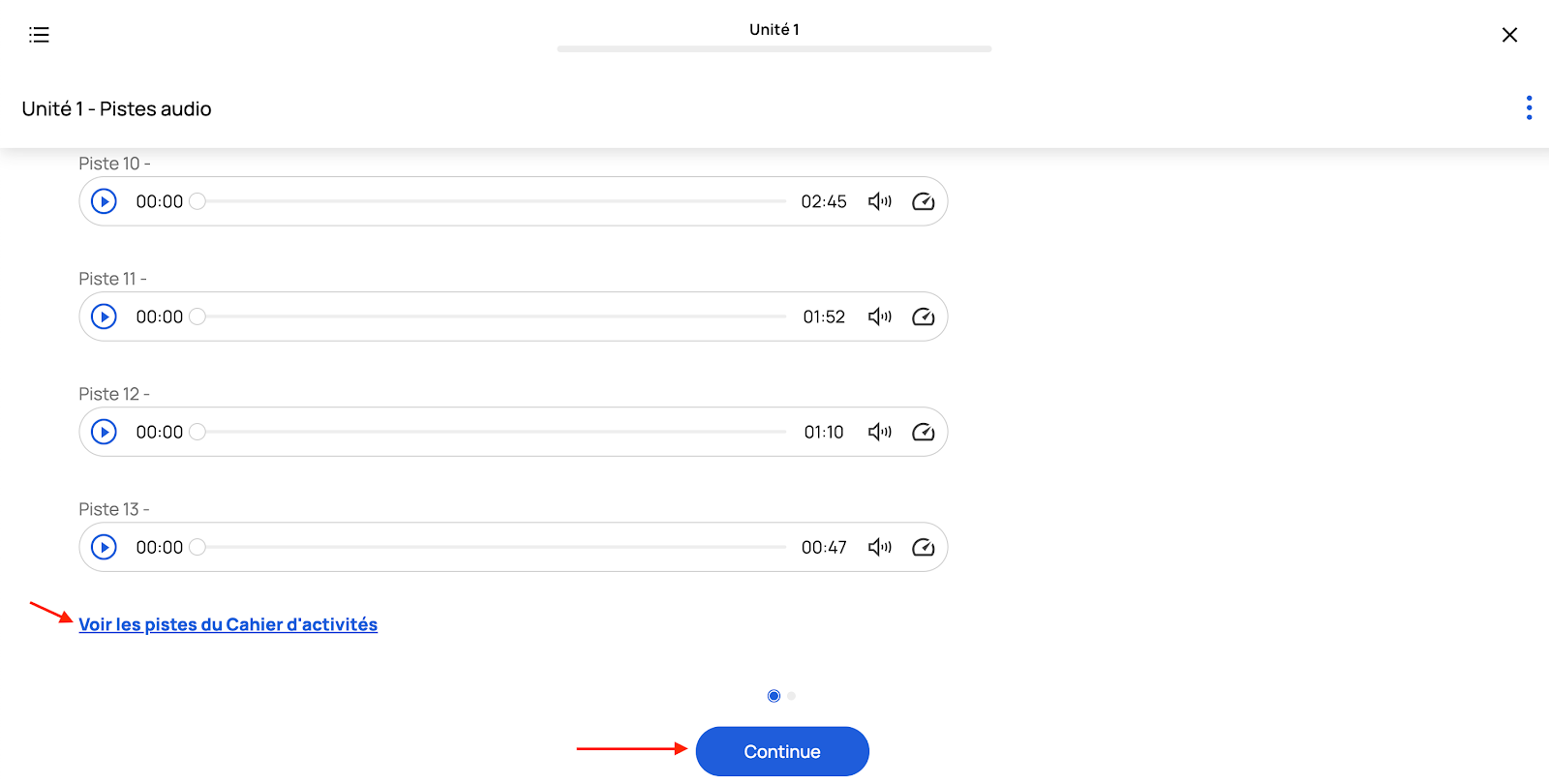
You can download the audio files for the student book and the workbook by clicking on the three-dot icon in the top right corner of the screen or on the paperclip icon on the left, depending on the content.
Three-dot:
Clip: