How can I change the email address on my account?

How can I change the email address on my account?

To change the email address associated to your account, access "My profile" on the top right corner of the screen and in the "General settings" section, write the new address. Click on "Submit" to save the changes.

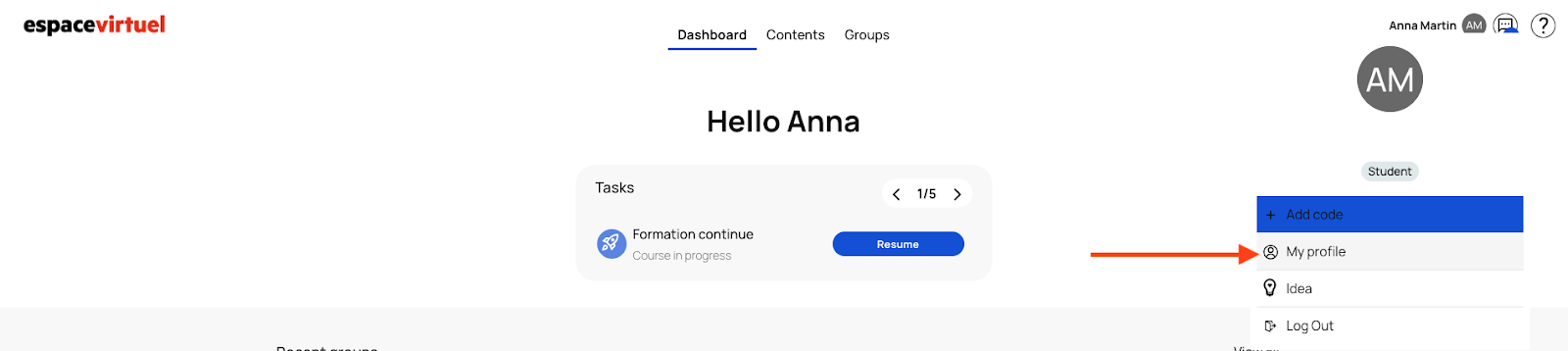
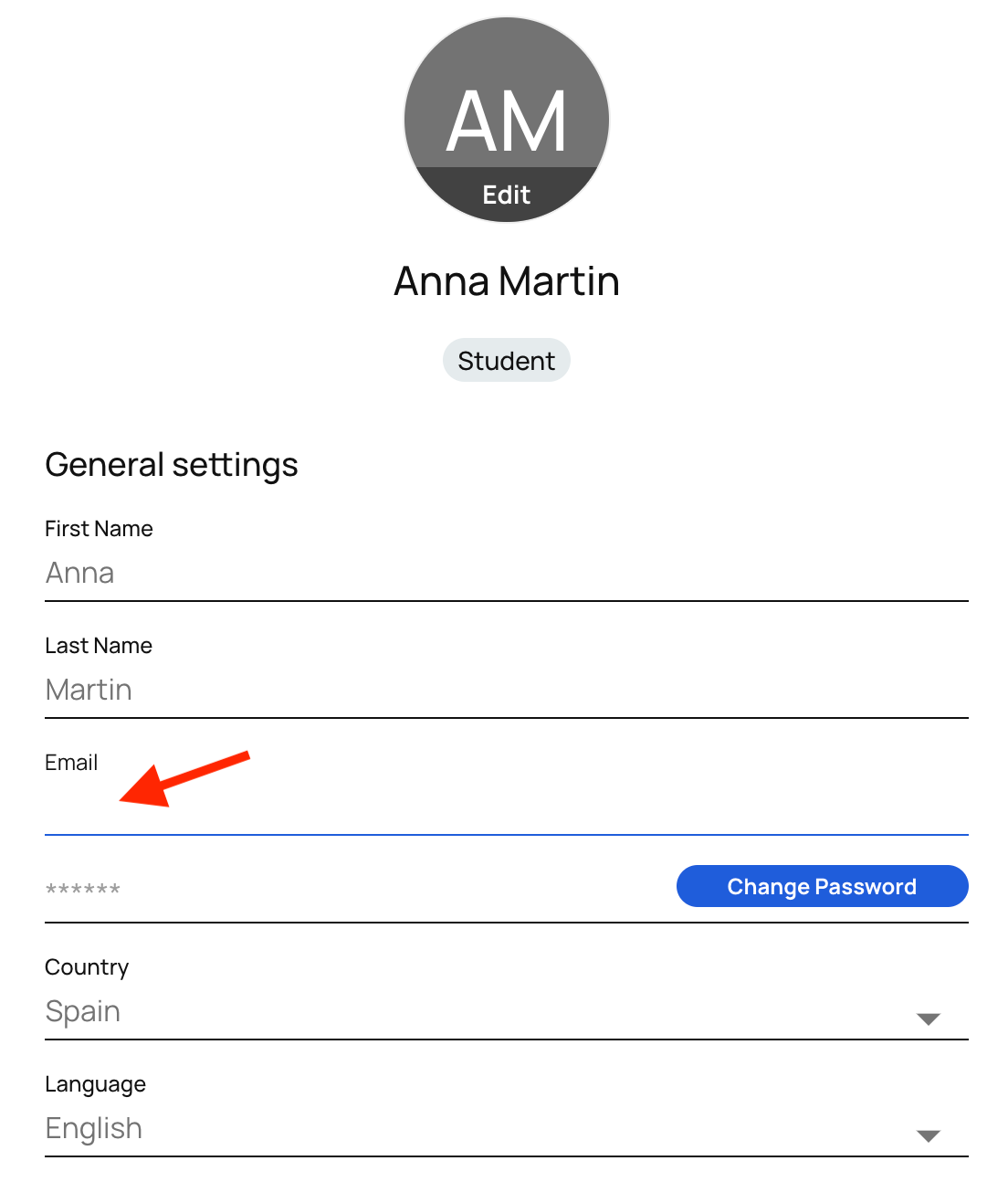
And click on Submit  to save the changes


    • Related Articles

    • How can I add the address noreply@emdl.fr to the safe senders list of my mailbox/email account?

      To ensure proper receipt of emails sent by the platform, particularly those related to account activation and password reset, we recommend that you check your email settings and follow the steps described below. Emails sent by the platform come from ...
    • What can I do if I have not received the email to validate my Espace virtuel platform account?

      If you can't find it in your main mailbox, please check your spam/junk mail folder. This is an email similar to the email below sent from noreply@emdl.fr via amazonses.com. If you are unable to find it, or if the validation link for your account has ...
    • How to create an account on the platform?

      Before creating your account, please add noreply@emdl.fr to your email safe senders list to ensure you receive your account activation email. For more information on how to add an address to your safe senders list, please click here. For security and ...
    • How can I change my password?

      To change your password, go to "My profile" on the top right corner of the screen and in the "General settings" section click on "Change password". And click on Submit to save the changes
    • How can I change the language?

      On the login page, you will see a language button at the top right of the page. Select your preferred language. This will change the entire platform interface to that language. The change will not affect the books, resources and other instructional ...